Freebie Alerts: Free Stuff App
- 4.7
- Rating
- 5.00M
- Installs
- Free
- Price

 Analysis by App-foxy
I like apps that solve a small, practical problem without asking me to change my whole routine. Freebie Alerts: Free Stuff App fits that idea. It is a social app from Freebie Alerts - Free Stuff Alerts that brings nearby free-item notices into one place, rather than making me check several local services throughout the day. The appeal is simple: when someone is giving away furniture, household goods, moving boxes, or other unwanted items, timing matters, and a notification can be more useful than a later search.
My experience with it is best described as a connection-dependent local alert tool. It is not a marketplace where I browse a polished catalog and complete a conventional purchase. Its value comes from helping me notice opportunities while they are still relevant. That also creates its main weakness: the app is only as useful as the surrounding activity, the quality of the posts, and my ability to respond while I have a working connection.
How Freebie Alerts fits into everyday free-item hunting
The app belongs to the social category and is free to download. It has reached over 5 million installs, with a 4.7 average from around 255 thousand ratings and roughly 29 thousand written reviews. Those figures suggest that the basic idea has found a substantial audience, but they do not remove the need to judge whether it suits my neighborhood and habits.
You May Also Like

 Blood Strike: 2.5 Anniversary
Blood Strike’s Loadouts Turn Every Drop Into a Tactical Gamble
A close look at Blood Strike’s custom loadouts: how fast access to signature weapons reshapes its battle royale rhythm, rewards preparation, and narrows the gap between fights.

 Pandora - Music & Podcasts
Pandora’s Music Is Easy to Start, but Harder to Recover
Pandora’s strength is its low-effort path from a seed to a station. Its weak spot is how much confidence it asks you to place in connection, setup, and quiet recovery.

 8 Ball Pool
 Is Built on Rivalries, Rematches, and Routine
A close look at the rivalries, rematches, shared routines, and unanswered safety questions that turn a quick pool match into a persistent mobile community.

 Samsung Music
’s Quiet Strength Is Playing What You Already Own
Its reach comes less from spectacle than from dependable access to a personal library. That simplicity is both the app’s strongest retention engine and its ceiling.

 AccuWeather: Weather Radar
AccuWeather Review: A Quick, Clear Forecast for Everyday Decisions
For everyday plans, the best forecast is the one you can understand quickly. AccuWeather makes rain timing, radar, and local conditions easy to act on, with a few trade-offs.

 Hill Climb Racing
Why Hill Climb Racing Still Turns Crashes Into One More Run
A tiny car, a bumpy hill and one more upgrade: Hill Climb Racing keeps resurfacing because its simple chaos makes every near-miss feel personal.
More From Our News Desk
View All News


The developer is Freebie Alerts - Free Stuff Alerts, and the app is currently at version 3.9.4. It runs on Android 7.0 or later, carries a Teen content rating, and includes optional in-app purchases ranging from $1.99 to $9.99 per item. I would treat the free version as the starting point and decide only later whether any optional extras genuinely improve my routine.
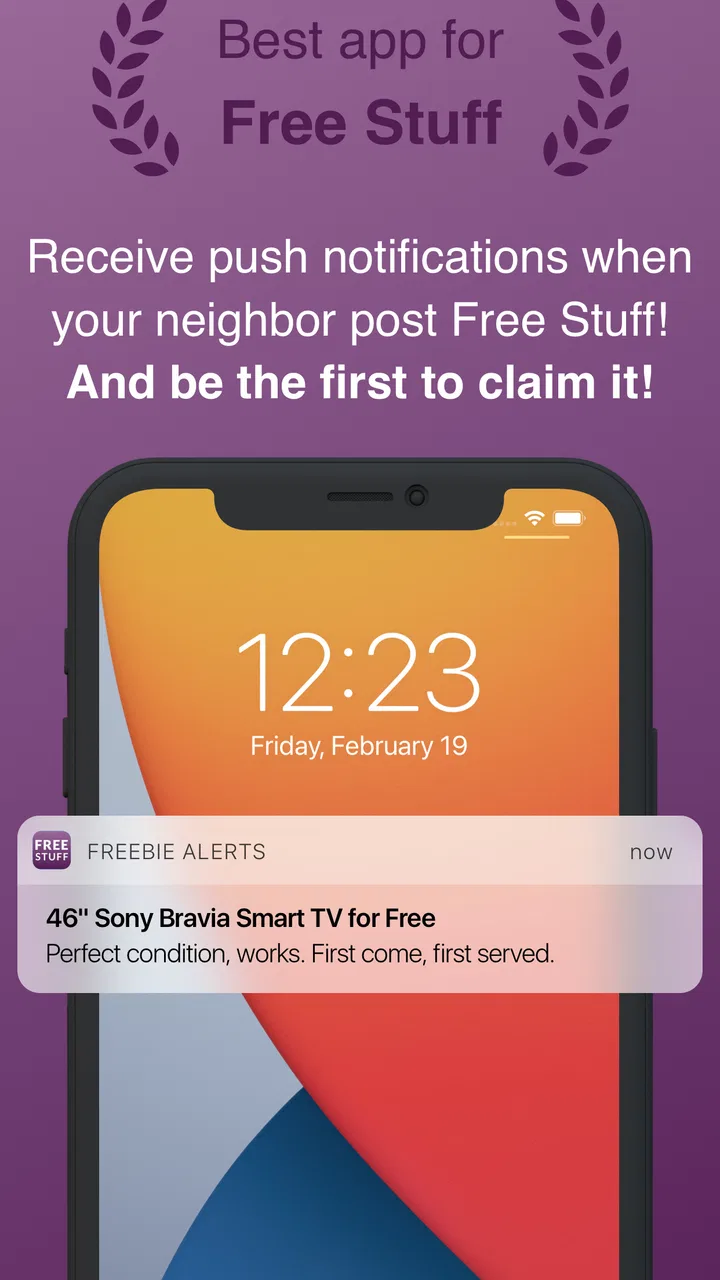
What makes it different from a normal classified app is the emphasis on alerts. Instead of opening a service only when I remember to search, I can use this app as a watchful layer for free listings associated with services such as Nextdoor, Letgo, offerup, and TrashNothing. That is useful when I am flexible about the exact item but interested in saving money or keeping something usable out of the waste stream.
Why the network matters more than it first appears
A free listing is often time-sensitive. If a desk is available outside someone’s home or a set of moving boxes is needed immediately, a delayed discovery can mean the item is gone. This makes connectivity part of the experience rather than a background technical detail. I need a working mobile connection or Wi-Fi to receive current information, inspect a listing, and contact the person through the relevant service.
That dependence changes how I use the app. At home, on reliable Wi-Fi, alerts feel convenient and low effort. On a train, in a basement, or in a large building with weak reception, the same alert may arrive late or become difficult to act on. I would not plan a pickup around seeing a notification alone. I would open the source listing, check that it is still active, and confirm the location and timing before leaving.
This is one of the app’s less obvious trade-offs: an alert is a lead, not a reservation. The notification can save me from repeatedly searching, but it cannot guarantee that another person has not already claimed the item. Anyone using the app should be comfortable with quick verification and occasional disappointment.
Useful mobile situations, and where the phone becomes a limitation
The strongest use case for me is a flexible errand. Suppose I am already driving toward a neighborhood to collect a chair or visit a friend. A nearby free-item alert may turn that trip into a second useful stop. The app works well in this situation because I am not depending on one exact listing; I am looking for a convenient opportunity that fits a route I already have.
Another realistic example is moving. I might need boxes, packing paper, a small table, or temporary storage furniture over a short period. Rather than searching one service at a time, I can watch for relevant notices and act when something appears nearby. The important practical tip is to decide in advance what I can actually transport. A free sofa is not a bargain if I need to hire a vehicle, find help, or store it for weeks.
On a phone, the app is also easier to use when my search area and expectations are narrow. I would avoid treating every alert as an invitation to browse endlessly. A quick routine works better: review the item, assess distance, check whether the source post is still available, and then decide whether contacting the giver is worth my time.
It is less suitable for someone who wants a fully organized shopping experience. A conventional retail app is better when I need a precise product, predictable condition, delivery, returns, and a clear price. A standard classifieds app may be better when I want to compare many listings manually or negotiate within one dedicated community. Freebie Alerts is strongest when the priority is discovering free possibilities across several local sources.
What happens when an alert does not lead anywhere
Failure is normal in this kind of service. A post may disappear, the item may already be claimed, the giver may stop responding, or the location may be impractical. I find the experience less frustrating when I treat the app as a stream of possibilities rather than a queue of guaranteed finds.
My preferred recovery process is simple. I first reopen the original listing instead of relying on the notification preview. Then I check the latest wording, location, pickup instructions, and whether the post still appears active. If the source service requires a separate account or conversation, I continue there rather than assuming the alert itself completes the exchange.
When connectivity fails, I postpone decisions instead of guessing. I would not drive to an address I cannot verify, and I would not assume that an item remains available because I saw an earlier notice. Once the connection returns, I refresh the listing and reassess. This extra step is important because the app’s usefulness depends on current information, while notifications can naturally become stale.
A second recovery habit is to keep the search practical. If several alerts are irrelevant, I would adjust how I respond to them rather than opening every notice. The goal is not to collect notifications; it is to reduce the time spent finding something genuinely useful. That distinction makes the app feel like a tool instead of another noisy social feed.
Using it without wasting mobile data or attention
Because the experience revolves around alerts and externally sourced listings, I would use it with the same discipline I apply to other notification-heavy apps. On a limited mobile plan, I would prefer Wi-Fi for extended browsing and avoid opening every alert immediately. A short notification review at suitable times is more efficient than repeatedly checking the phone whenever something appears.
I would also be selective about what I pursue. Looking at an item’s likely usefulness, size, distance, and pickup effort before opening a longer conversation reduces unnecessary browsing and messages. This is a surprisingly important advantage of a focused routine: the app can save attention only if I do not turn every free object into a possible project.
There is a social side to data-conscious use as well. Contacting a giver should be purposeful. I would ask only the practical questions needed to decide whether I can collect the item, such as availability and pickup details, rather than sending vague messages that create extra back-and-forth. Free items often move quickly, so concise communication is kinder and more effective.
Privacy and personal safety also deserve common sense. I would keep initial communication within the relevant service, avoid sharing unnecessary personal details, and confirm arrangements before traveling. The app helps me discover opportunities, but it does not turn an unknown listing into a verified transaction. Meeting arrangements, transport, and judgment remain my responsibility.
Three ways I would get more value from it
I would begin with a specific need but stay flexible about the exact brand or model. Searching for “a small shelf” or “packing boxes” is mentally more useful than chasing one particular product that may never appear. This makes the alert stream work in my favor.
I would combine alerts with existing travel. A free item becomes much more attractive when it is close to a route I already plan to take. This avoids the hidden cost of fuel, time, and arranging transport for something that has no purchase price.
I would judge storage and disposal before accepting anything. Free furniture can create a new problem if it does not fit through the door, needs repair, or becomes difficult to remove later. The app makes discovery easier, but it does not replace a quick practical inspection.
These habits reveal a broader point: the app is not merely about finding things for no money. It is about matching a short-lived local opportunity with my actual schedule, transport, space, and willingness to communicate. The best results come when those factors line up.
Who should use it, and who should skip it
I would recommend it to people who enjoy reusing items, are comfortable with local pickup, and can respond when a worthwhile notice appears. It can be especially helpful for renters, students, families furnishing a home gradually, people preparing for a move, and anyone who wants to reduce spending on ordinary household items.
It is also a reasonable choice for someone who dislikes checking several community services separately. The app’s cross-service alert approach can make discovery less repetitive. However, I would not install it expecting a steady supply of exactly what I want. Local activity varies, and a quiet area may offer fewer useful opportunities than a busy community.
I would skip it if I need guaranteed availability, delivery, product warranties, or a carefully filtered inventory. I would also hesitate if I dislike notifications, cannot regularly check a phone, or have no practical way to collect bulky items. In those cases, a retail service, a dedicated local marketplace, or a community group with a slower conversation style may be a better fit.
How it compares with familiar alternatives
Compared with browsing Nextdoor, Letgo, offerup, or TrashNothing individually, the main convenience is discovery across those sources through one alert-focused experience. That can reduce the habit of opening multiple apps whenever I need something. The trade-off is that I still need to follow the relevant source service for the actual post and communication, so this is not a complete replacement for every part of those platforms.
Compared with a general social feed, the app is more purposeful. A normal feed mixes conversation, recommendations, announcements, and personal updates. Freebie Alerts is more useful when my intention is specifically to notice free items. Compared with a retailer, it offers uncertainty instead of consistency: the price may be zero, but condition, timing, distance, and availability require more judgment.
That comparison helps set realistic expectations. I would use this app alongside, not necessarily instead of, a favorite local marketplace. The alert layer is valuable for catching opportunities; the dedicated service remains important for reading context and arranging pickup.
My final view on the connected experience
Freebie Alerts: Free Stuff App is a practical social app with a clear purpose. I like it most when I have a flexible need, a realistic pickup plan, and a reliable connection. Its biggest strength is reducing the effort of discovering free listings across familiar local sources. Its biggest weakness is that discovery can feel more certain than the outcome: an alert is only the beginning of the process.
The app is free, supports Android 7.0 and later, and has a Teen rating, so it is easy to consider for a broad range of users who meet those requirements. I would still approach optional purchases carefully and first learn whether the basic alert workflow fits my neighborhood. The current version, 3.9.4, is the one I would evaluate rather than assuming every phone presents exactly the same experience.
My connectivity verdict is positive but conditional. It works best as a timely lead generator, not as a guaranteed free shopping catalog. If I am willing to verify posts, tolerate items being claimed quickly, manage notifications, and handle pickup myself, it can save both money and search time. If I need certainty or a polished end-to-end transaction, another type of app will serve me better.
FAQs for Freebie Alerts: Free Stuff App
01How does Freebie Alerts: Free Stuff App work?
Freebie Alerts: Free Stuff App is designed to help users discover free items available in their local area. Once installed, the app sends notifications about available freebies posted by individuals or businesses nearby. Users can browse listings, see item details, and contact the person offering the item directly through the app.
02Is Freebie Alerts: Free Stuff App safe to use?
Safety is a priority for Freebie Alerts: Free Stuff App. The app includes features to report suspicious listings or users. However, as with any platform involving personal interactions, users are encouraged to meet in public places and exercise caution when arranging to pick up items. Always check user reviews and ratings for additional safety.
03Do I need to create an account to use Freebie Alerts?
Yes, creating an account is necessary to use Freebie Alerts: Free Stuff App. This allows you to personalize your notifications and manage your listings if you choose to offer your own freebies. Account creation also helps maintain a safe and trustworthy community by enabling user reporting and verification.
04Are there any hidden costs associated with using the app?
Freebie Alerts: Free Stuff App is free to download and use. The app focuses on sharing free items, and there are no hidden costs or fees for listing or acquiring items. However, be aware that the app may feature advertisements, which can be removed through in-app purchases if you prefer an ad-free experience.
05What types of items can I find on Freebie Alerts?
The app offers a wide variety of items, ranging from household goods, furniture, and electronics to clothing and toys. The availability depends on local users and what they are offering at any given time. Regularly checking notifications and browsing can help you find the best free items in your area.
Pros
- Easy to navigate and user-friendly.
- Wide variety of items available daily.
- Instant notifications for new freebies.
- Saves favorite items for quick access.
- Supports multiple locations worldwide.
Cons
- Some offers may have limited stock.
- Occasional ads can be distracting.
- Requires location access for accuracy.
- Not all freebies are of high quality.
- App may have occasional glitches.

Freebie Alerts: Free Stuff App
Gallery